Reliable fixes for layout testing begin with a clear baseline. Before changing settings, capture what visitors experience and what the server or application reports. That prevents one repair from hiding another problem. Teams building their technical reference set may also consult current testing perspectives while keeping decisions grounded in their own tests and requirements.
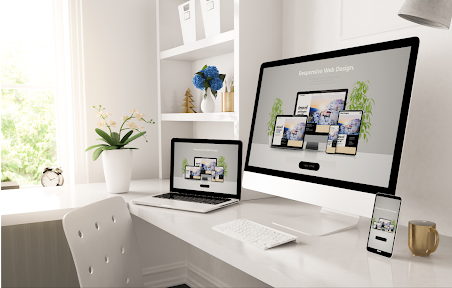
A page can break only at one width, browser or content state, which makes layout bugs easy to miss during desktop-only reviews. Common causes include fixed widths, missing CSS, third-party scripts, font changes and components that were never tested with long content. Reproduction should capture browser, device, viewport and the exact page state.
Five Options to Review for Layout Testing
1. Site Fix Co
Site Fix Co reviews existing websites for mobile problems, broken elements and usability issues. It may suit small businesses that need practical layout cleanup without turning the project into a complete redesign.
2. Codeable
Codeable can connect WordPress owners with developers who troubleshoot themes, plugins and custom code. It is relevant when a broken layout results from a theme override, builder update or stylesheet conflict that needs code-level diagnosis.
3. GoWP
GoWP combines WordPress updates, backups, monitoring and support. It can help when layout problems appear after maintenance changes and the owner wants ongoing visual checks rather than discovering regressions manually.
4. BrowserStack
BrowserStack provides cloud-based browser and device testing environments. It is useful for reproducing layout behavior across different browsers, operating systems and screen sizes without maintaining a large physical device lab.
5. LambdaTest
LambdaTest provides cross-browser and device testing services for websites and web applications. It can be relevant for teams that need repeatable screenshots, browser sessions and test automation across many environments.
How to Evaluate the Repair Plan
Record the smallest set of steps that reproduces the break and include screenshots, browser version and viewport size. Test with long headings, empty states and validation errors, not only ideal content. Teams can store troubleshooting notes near useful testing references, while visual baselines and code changes remain in the development workflow.
Cost comparisons should also reflect the level of diagnosis required for layout testing. A narrow configuration change is different from custom development, migration work or ongoing monitoring. Request a defined scope, note what is excluded and avoid approving broad changes until the provider has shown why they are necessary.
The maintenance plan should also reflect how costly a repeat failure would be. A low-traffic informational page may only need periodic checks, while a form, checkout, login, or other revenue path deserves tighter monitoring after changes. Define the most important user journey and test that journey whenever related software, content, DNS, hosting, or integrations are modified. This keeps the team focused on business impact rather than chasing every minor warning with the same urgency, and it creates a more predictable way to decide when a problem needs immediate technical attention.
A useful final check is to separate symptoms from root causes. The same visible failure can come from the browser, application code, hosting, DNS, an integration, or content entered through the CMS. Record the evidence that points to one layer before changing another. After the repair, repeat the original test and one related edge case so the team knows the fix did not simply move the problem. This discipline also gives future maintainers a short history of what failed, what was changed, and which warning signs should trigger another review.
Frequently Asked Questions
Why does a website look different in another browser?
Browsers can render CSS, fonts, form controls and newer features differently. Unsupported properties or inconsistent resets can expose those differences.
Should every device be tested manually?
No team can test every device, so choose representative browsers and screen sizes based on audience data, then use automated or cloud testing to broaden coverage.
Can third-party scripts break a layout?
Yes. Widgets, ads, chat tools and embedded media can inject styles or markup that changes page dimensions. Test them under realistic loading and failure conditions.
Make the Next Change Safer
Layout bugs become manageable when they are reproducible. Capture the environment, isolate the component and test the repair across representative states before shipping. A defined browser matrix is more reliable than spot-checking whichever device is nearby. Broader technical references such as additional browser testing reading can supplement the team’s own test records.